I’m on a Mac as well. Which step is causing problems?
Cheers
I’m on a Mac as well. Which step is causing problems?
Cheers
I am useless in Mac. I was a widows guy until someone gave me this macbook pro. An old one but I only watch youtube and query google etc. I am trying to install a Marlin update but I can;t even find the Firmware folder and initiate the TH3DUF.ino and I would probably be close to good. Very frustrating. I am following this guide…https://support.th3dstudio.com/hc/en-us/articles/360043728431-Arduino-IDE-for-Mac-OS-X-Setup-Guide
Ok, it sounds like you want to go to the Arduino folder which is in the Documents folder of the Mac. The full path is:
“Macintosh HD” (or whatever you’ve renamed your hard drive to) > Users > (your user ID) > Documents > Arduino. A shortcut (Apple calls them favorites) to your Documents folder can be found on the left hand side of any Finder window (see attached. I added the text in dark blue. Sorry! I should have used a different color.).
Hope this helps!
Cheers
[ATTACH=JSON]{“data-align”:“none”,“data-size”:“large”,“data-attachmentid”:1397}[/ATTACH]
I thank you so much. But I will do this slowly tomorrow. I have to creep slowly through all this and I have tested my dead brain enough for today. So happy to know you.
I think this community is starting to get some cohesion. You seem like such great people.
I finally found it and have nearly succeeded in getting ready to flash my board but I got this error message that I don’t understand:
delay
Using library U8glib at version 1.18 in folder: /Users/larry/Documents/Arduino/libraries/U8glib
exit status 1
‘Creality’ does not name a type
Does anyone have an idea what that means or how I could find out?
I did succeed at one thing today (Ihope!) I found out that I have a gap between my bowden and the little piece of blue capricorn tubing I have jammed into the interior of my extruder and that seems to be what was threading the end of my filament. I hope I have remedied the problem it seems ok for now.
Yay! No more clogging.
I guess I was wrong again. I just took 4 interesting pictures of the filament hanging out of my disconnected Bowden tube after another filament jam
I drew a black line on the filament at the end of the tube and took a pic 1 and then I pulled it out a bit and took pic 2 showing that this twisting starts well before the filament reaches the extruder. Pics 3 and 4 are basically showing the bowden. Back to the drawing board. I lubricated my filament a bit and shall try again.
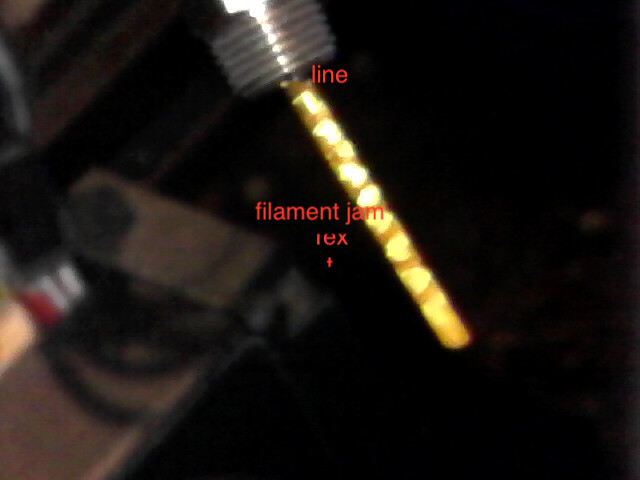
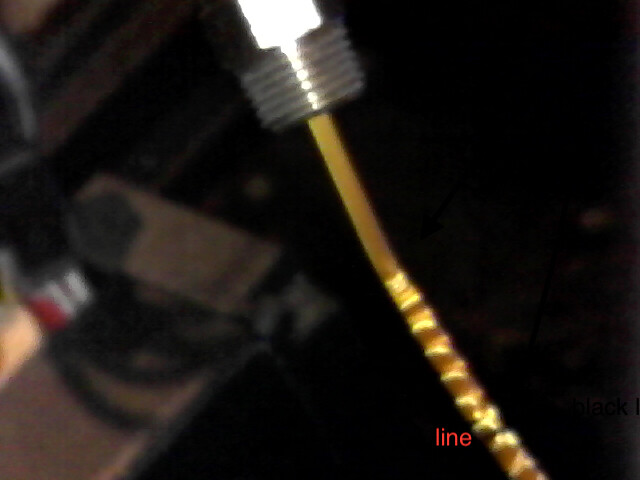


That is really weird to me. I can’t wondering if the filament is actually being spiraled, or is it just being crunched up as the extruder tries to push it through but is getting too much resistance. This is regular old PLA, right? Does your extruder make clicking sounds?
Agreed, this is weird. What is the manufacturer’s name and type of filament? Also, when the hotted is heated, can you manually push filament through it? (You can manually exert more force than the extruder can.)
Cheers
Excellent question. And if you can force it through, does it come out looking the photos, or more normal?
Yes I haven’t dared to use my new roll of PETG yet. Yes it is spiraled and the spiraling goes way up the filament before it reaches the hot end as you can see. I have no explanation. Does everyone’s filament spiral?
As I remember I never noticed this when it is printing normally I would heat up the filament and draw it out straight and smooth with no problem.
OK, spiraling just doesn’t make sense, unless there is some kind of odd obstruction in the path that’s forcing the filament to turn as it’s fed through. A manual push test now seems mandatory.
I don’t drag it out when it’s like this I disconnect the bowden from the extruder and push it out.
Here is a great example of what I have been going through for two days after printing well for a full day or so.

I take it it’s upside down: the part at the top of the photo is what was on the bed?
I turned it around and took off the skirt just to show how good the layer lines are. I took the photo with my so called microscope which is actually an electronic magnifying glass. It is just strange that it goes from printing beautifully with no separation at all to stopping just like that.
When I put in new filament I push it through quite easily by hand.
